GraveShift
A multiplayer-focused survivor-like with active abilities and flexible builds, made by one developer.
Personal project / in development
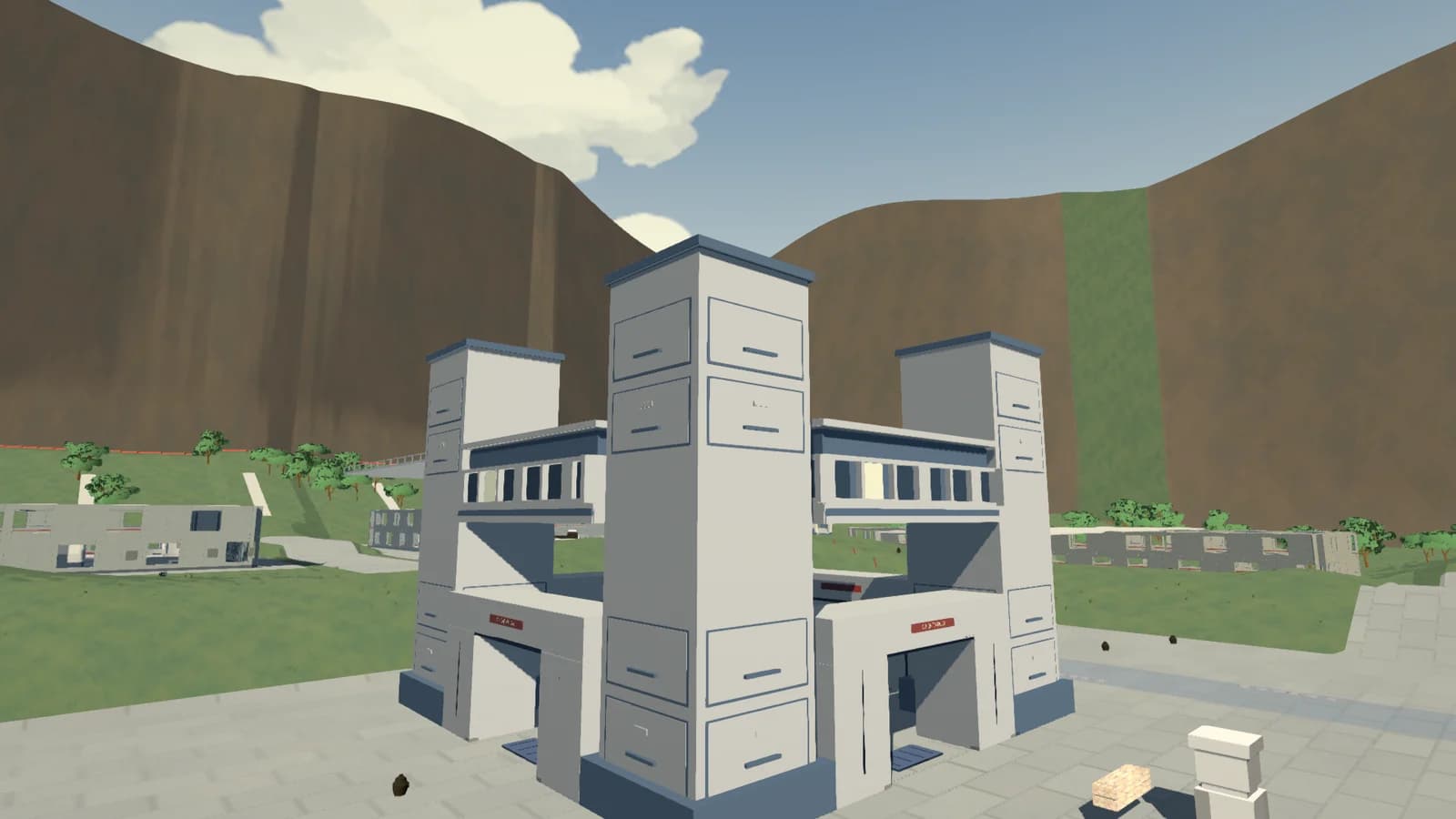
- Role
- Sole developer
- When
- In development
- Stack
- Unreal Engine
- C++
- HLSL
- DrawnMotion
GraveShift is a multiplayer-focused survivor-like set in a corporate underworld. I am building it alone in Unreal Engine, including the gameplay, networking, rendering, and development tools.
Megabonk is a reference for the kind of game I enjoy: moving through a 3D arena, surviving a growing crowd, and finding combinations that change a run. With GraveShift, I want more decisions during combat through active abilities, flexible builds, and playing alongside other people.
The game is still in development. Many models, effects, and interface elements are temporary. The gameplay systems are further along than the art in these captures, and I am developing its illustrated look alongside them.
Active abilities change how each character plays
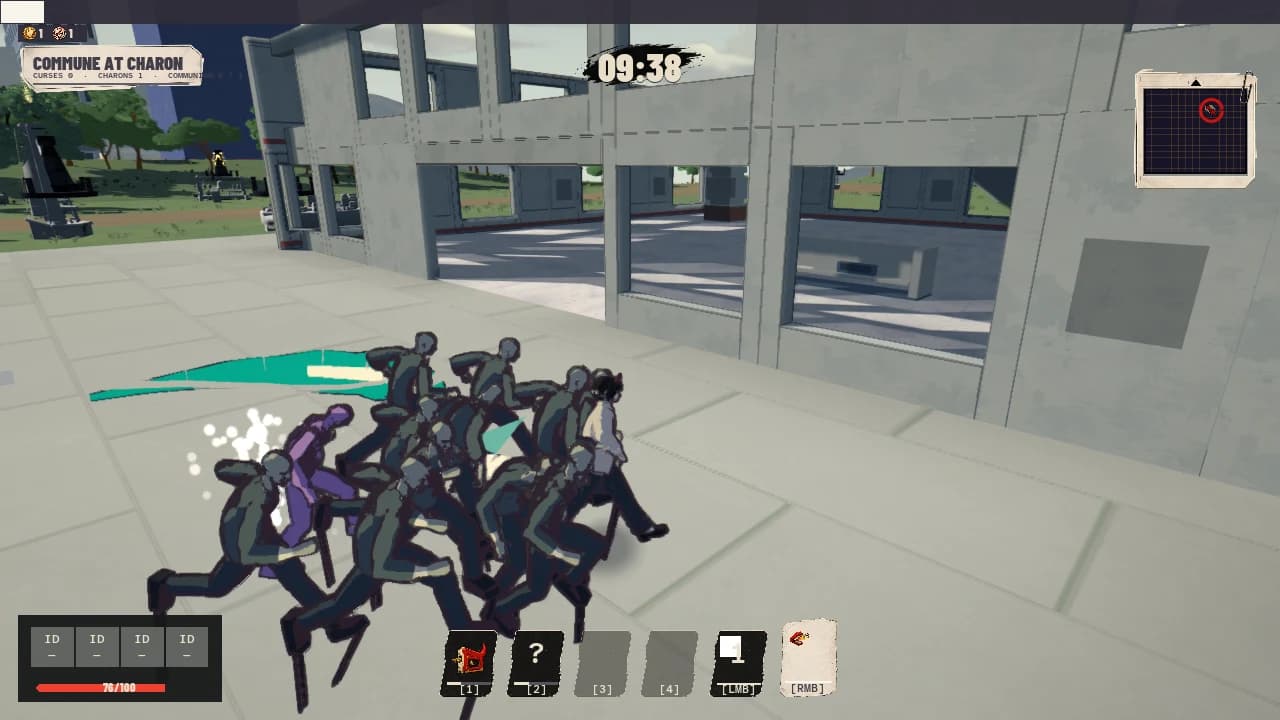
Weapons attack automatically, leaving the player to move, aim active abilities, and decide when to use them. Each character has a signature weapon and two ability slots. The starting kits have different ways to handle a crowd.
Ash's staple gun leaves staples embedded in enemies. Batch Process recalls them for an extraction attack, and an extraction kill resets its cooldown. Her other starting ability fires a piercing staple with recoil. Playing her involves choosing when to keep building up staples and when to pull them out.
Reg lays a line of tape as he moves. Forced Closure connects that line and damages the area it encloses. Emergency Exit is an aimed dash that pushes enemies aside and lays more tape, so an escape can also finish a loop. Where he has been moving becomes part of his next attack.
The other characters take different approaches. Gus uses electrical pulses, a radial push, and a charged dash. Martin recruits an Intern crew and gives assault or defensive recall orders. All four kits work in the current build. I am still refining their balance, effects, and animation.
Character progression unlocks alternative abilities for those slots. Ash can replace her staple recall with Cross Reference, linking stapled enemies so her direct staple-gun hits share damage between them. That trades the extraction burst and cooldown reset for a different use of the same weapon.
Combining weapons and augments
A character's starting kit does not dictate the entire build. Each has room for three acquired weapons alongside their signature. Weapons add automatic attacks or support actions. Augments change the rules those actions interact with, and repeated augments strengthen the same effect.
The current pool has 23 acquired weapons and 48 augments, alongside the characters' signature weapons.
The weapons change how you position yourself. Paper Wyrm breathes damage into a cone that follows your facing direction, letting you sweep it across a crowd as you turn. Risk Assessment rolls dice to choose a pattern of overlapping damage circles. The pattern changes how widely the attack spreads and where its damage concentrates.
Support weapons have actions of their own. A Water Cooler creates a healing zone, while a Desk Fan pushes enemies and speeds allies along a lane. A build can combine damage, crowd control, and support without committing to a fixed class.
Augments can make those choices useful in another way. Gluttonous converts overhealing into temporary armor, so healing still has value at full health. Slow Metabolism shares healing with nearby teammates and converts healing they cannot receive into armor for its owner. A healing build can support a group and still function alone.
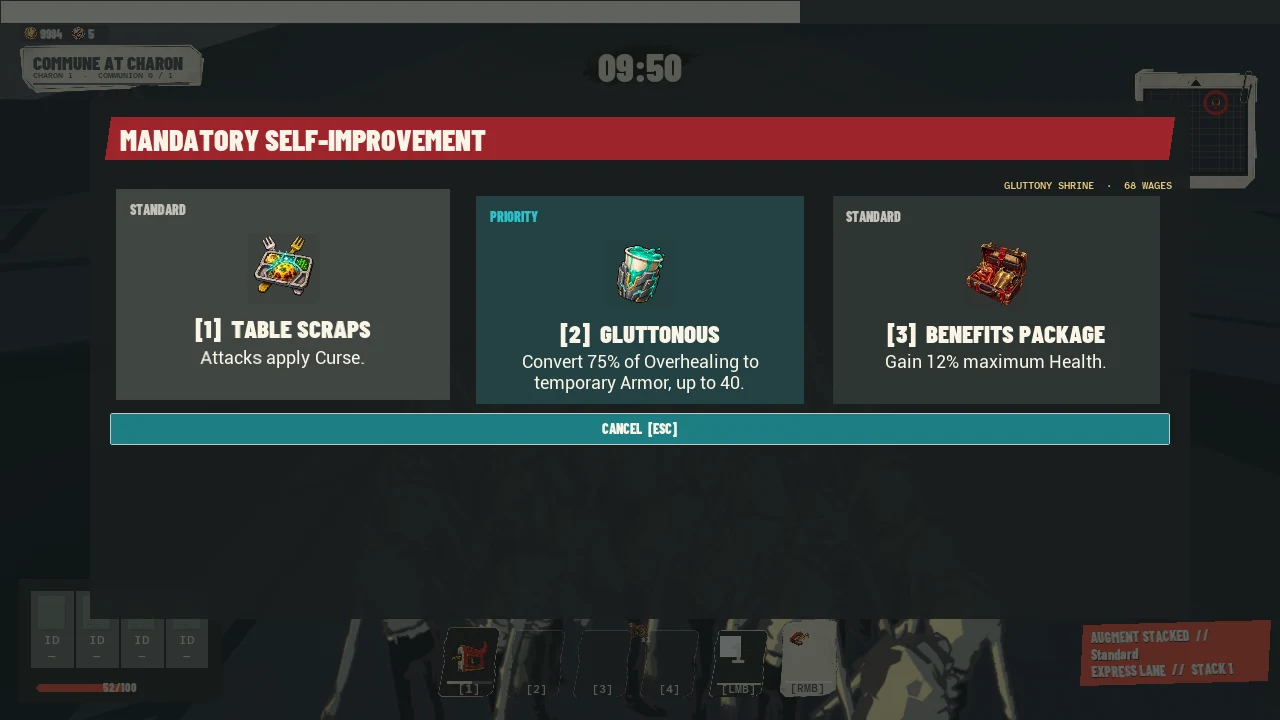
There is no separate-slot limit on how many different augments a player can acquire. Repeated copies improve the effect described on the card. That leaves room to specialize in one interaction or pick up another mechanic as the run develops.
Building for multiplayer
Multiplayer affects the reward and combat systems as well as the networking. Players receive their own weapon choices from shared progression. Damage and status effects keep track of who contributed, including damage from summons and effects that continue after an attack. A teammate landing the final hit should not erase the work another player did to set it up.
The host controls combat results and reward rolls. I have also built and tested late joining and reconnecting, so a returning player can recover the state of their run. Multiplayer testing is ongoing; connection recovery and automated sessions do not settle how a full run feels with other people.
DrawnMotion animation tools
I want the characters to look drawn in motion. Smooth interpolation can soften a pose that should hold. Perspective can change a figure's proportions, and a fast limb can disappear between frames. DrawnMotion gives me controls for those problems.
I adapted and extended the tool from a licensed OverAnim foundation. Together with GraveShift's animation timing controls, it supports stepped poses, character flattening, and smears and multiples based on rules I author.
Stylized motion and DrawnMotion enabled. Press play to watch. Selecting another recording returns to the start.
Ash runs, turns, jumps, and lands in the Character Lab. Both recordings use the same production movement driver and gameplay camera. Watch the held poses and the transitions between actions.
Development recordings, September 7, 2026. This compares the combined motion treatment, not an isolated smear setting.
Stepped animation
The character's movement and the camera keep updating continuously. The visible pose follows a separate timing sheet based on a 24 fps clock. Idle, running, jumping, and sliding can hold their poses for different lengths of time. A landing or a change of action can show a new pose immediately.
Updating every action twelve times a second gave me too little control. The current setup lets me adjust each action's timing and limit how far the character travels or turns while a pose holds. DrawnMotion also tracks the continuous animation to measure movement between the poses the viewer sees.
Flattening the figure
Figure Projection reduces a character's depth along the horizontal camera direction. This limits perspective foreshortening within the figure and helps preserve its intended proportions.
Flattening happens after the animation and smear calculations. It preserves vertical position and fades out near planted feet so the character stays grounded. Shading uses the original surface normals, which describe the direction each part of the surface faces.
Smears and multiples
I mark regions of the character, such as an arm, and write rules for their motion. A smear stretches the current shape toward an earlier pose. A multiple shows a copy of a selected region from a previous visible pose. The rules control when each effect appears and how far back it looks.
Fast movement can also call for a smear of the whole figure. The character must actually be moving; orbiting the camera around a stationary character does not trigger one. Landings, teleports, and appearance changes have safeguards to stop an old pose from stretching into a new action.
Keeping the character readable
The character renderer chooses between two authored color treatments, one lit and one in shadow. I can control the direction of the surface normals to shape the shadow across a face or jacket. Objects in the level can also cast shadows onto the character. Both kinds of shadow select the same color treatment, so a face does not become twice as dark when they overlap.
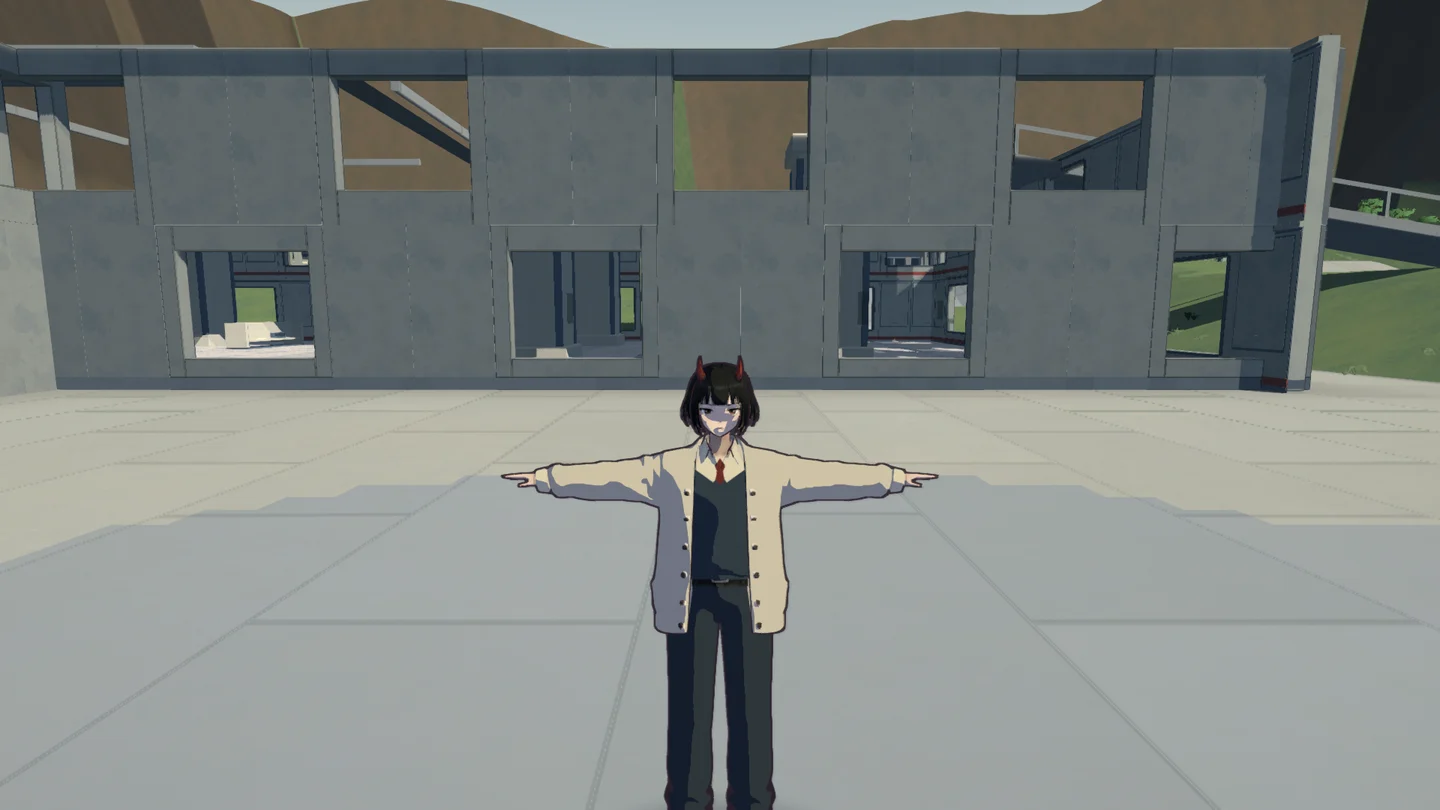
The outline pass uses changes in depth to find edges. A separate map marks internal boundaries I want to draw, such as a division in the clothing. That keeps every color change in a texture from becoming a line. I can adjust line width, introduce breaks, and distort the result.
A reference cel material I tested did not respond when a roof cast a shadow over the character. GraveShift's renderer keeps that world-shadow check, so the character can enter shade without adding a second dark layer to the face.
Editing and reviewing an animation
In the DrawnMotion editor, I choose a character mesh and animation, then select the action I want to adjust, such as a run.
- Choose whether to stretch a limb into a smear or show a copy of an earlier pose.
- Set when it begins and ends. Different thresholds for starting and stopping keep the effect from flickering as the movement speed changes.
- Build the action shape, then compare Original, Result, or Split preview. Pause and step through individual frames to inspect a difficult drawing.
- Review it in the Character Lab with movement and the gameplay camera. An isolated animation preview cannot prove that a landing or a fast turn reads well in the game.
The editor also shows the rules generated from that action. If a smear appears at the wrong moment, I can inspect its trigger and the pose history it used.
Rendering performance
I measure the complete frame as well as gameplay simulation and GPU time. This includes the cost of drawing the enemies and applying the visual effects.
The September 7 packaged development profile ran with 800 enemies at a 1920 × 1080 window size on a Ryzen 7 9850X3D and RTX 5080 with 64 GiB RAM. After discarding 60 warm-up samples, the recorded segment contained 1,739 measured frames.
| Measurement | Average | 95th percentile | 99th percentile |
|---|---|---|---|
| Complete frame | 4.20 ms | 4.86 ms | 17.51 ms |
| GPU | 2.89 ms | 3.32 ms | 3.40 ms |
The average looks comfortable on this machine, but the 99th-percentile frame time exposes stalls that deserve investigation. This is one local development-build profile, not a minimum-spec promise or an isolated benchmark of DrawnMotion. The recorded rendering segment also covers less time than the full 60-second gameplay validation run.
Project scope and credits
I am the sole developer of GraveShift. I design and implement its gameplay systems, multiplayer, rendering, animation tools, and their integration in Unreal Engine.
DrawnMotion adapts and extends OverAnim by DynaMax under license. The project uses KawaiiPhysics for secondary motion, along with imported art and animation assets. I credit those foundations separately from the systems and tools I have built for the game.
The images and motion studies on this page come from the project's review captures and show the current work in progress.