ImageToCity
Build a city from a photograph, entirely in your browser.
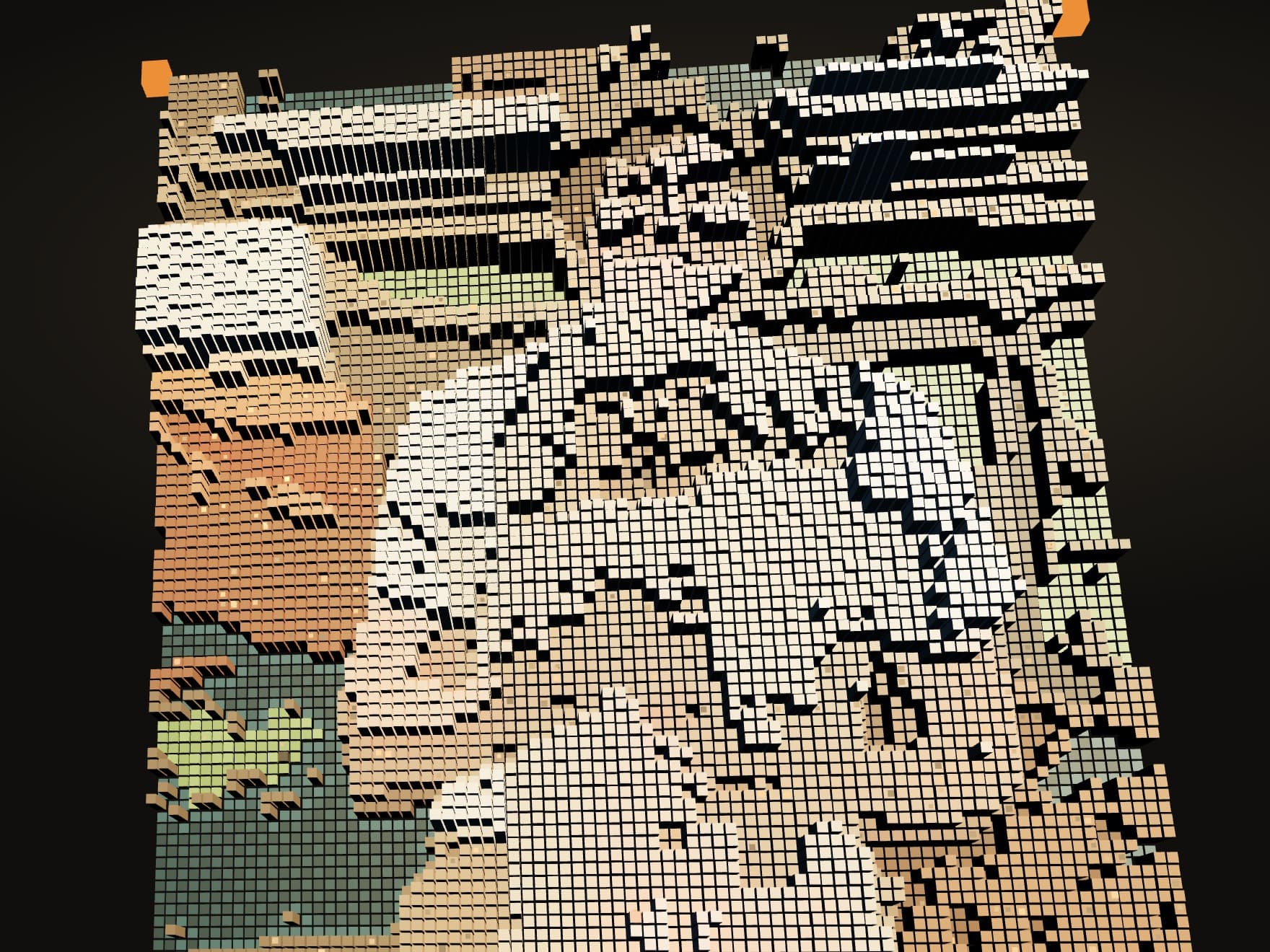
ImageToCity turns a photograph into a small city. Bright pixels become taller buildings, connected dark areas become water, and flatter areas make room for parks. The buildings keep the photograph's colors, so you can still recognize the source as you explore it.
Interactive experiment
ImageToCity
Try a sample or upload your own photo.
The photo stays in your browser. The demo samples it into an 84-column grid, producing roughly 7,000 buildings.
Giving the pixels a place
Brightness determines a building's height band. Small variations keep neighboring buildings from forming perfectly uniform rows.
Water begins at dark pixels along the edges of the image and spreads through connected dark areas. This gives it a shoreline instead of scattering pools throughout the city. Flat areas of middle brightness can become parks, with green pixels helping select them. The algorithm assigns those uses from color and brightness; it is not recognizing buildings, trees, or rivers in the photo.
Windows, waterfront lights, and bridges add detail once the plan is in place. Repeated objects share geometry through instancing, keeping the scene manageable in the browser.
Returning to the photograph
Press Show original to flatten the city. The buildings shrink, the gaps close, and their colors return to the image. Press it again to rebuild.
That transition reveals the relationship between the two views. A patch of color that read as a face or a cloud becomes a neighborhood, then returns to the photograph.